
Support
We’re here to help
Whether you’re setting up an integration or need help with a report, our team is ready to support you.
Email support
support@stratifyseo.comBusiness hours
9:00 am to 6:00 pm Pacific, Monday to Friday
Typical response within 24 hours.
Resources
Connect Google Search Console and Analytics
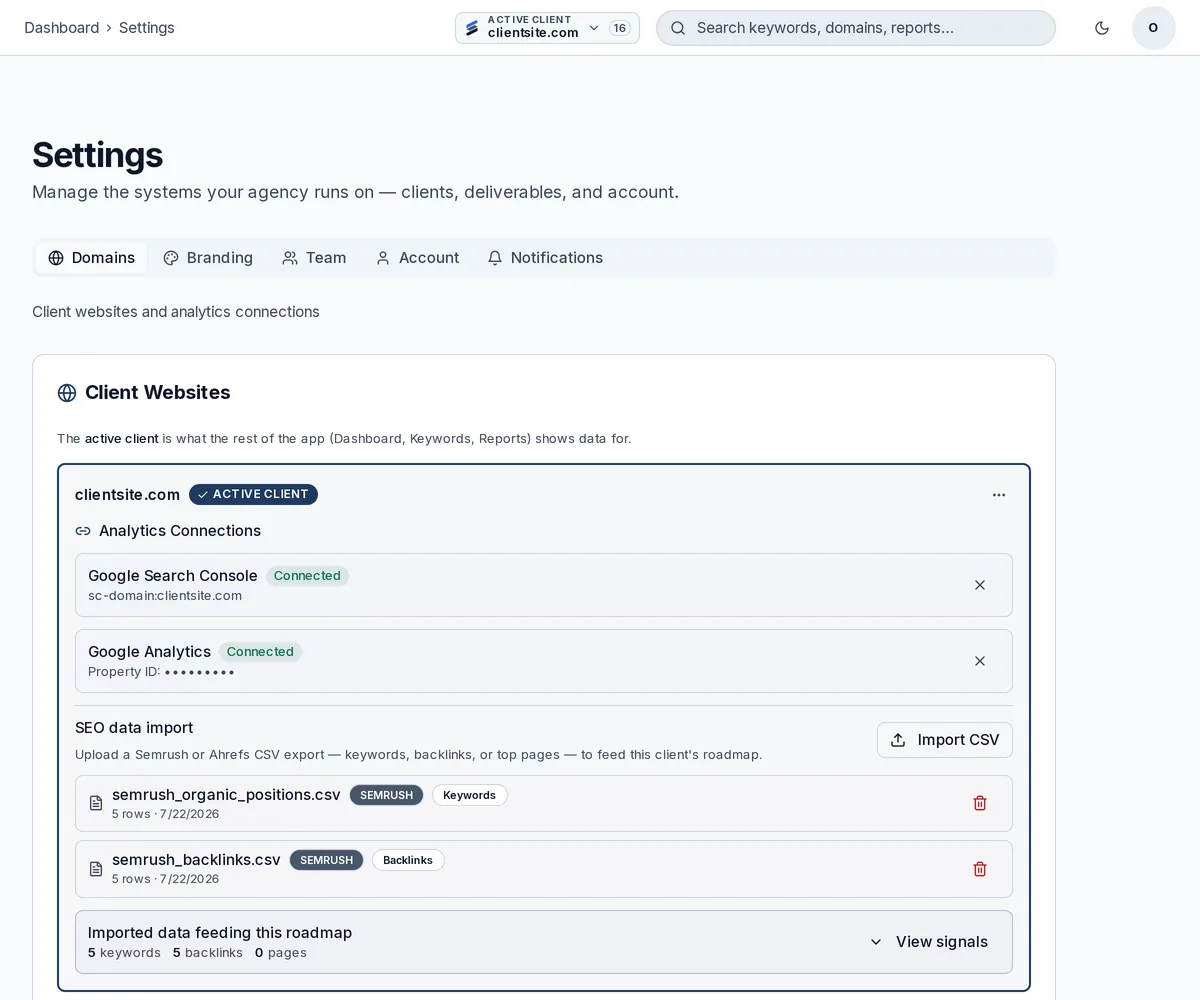
A two-step walkthrough of the real flow, captured in the app. The client domain and property ID are masked in these screenshots.
Step 1
Open Settings and stay on the Domains tab
Sign in, open Settings from the sidebar, and select the client site you want to connect. The Domains tab holds everything for that site, including its Google connections.
Step 2
Connect Search Console and Analytics
Scroll to Analytics Connections and use Connect Google. Sign in with the account that owns the verified Search Console property, grant read-only access, then pick the Google Analytics property. Both cards switch to Connected once the import finishes.

Frequently asked questions
How do I connect Google Search Console?+
Open Settings, select the site on the Domains tab, and use Connect Google under Analytics Connections. Sign in with the Google account that owns your verified Search Console property and grant the requested read-only access. Your properties will appear in StratifySEO within a few seconds.
How do I connect Google Analytics?+
From Settings, Domains, Analytics Connections, use the same Google connection flow and select the Google Analytics property you want to import. StratifySEO will request only the read scopes needed to display traffic and engagement metrics.
What Google data does StratifySEO access?+
We access only the read-only data needed to power the roadmap, reporting, and prioritization features you use, such as Search Console performance data and Google Analytics property-level metrics. We do not modify your Google data and we do not use it for advertising.
How do I disconnect my Google account?+
Go to Settings, Domains, Analytics Connections and disconnect the Google integration for that site. You can also revoke access at any time from your Google account permissions page at myaccount.google.com/permissions.
How do I delete my account and data?+
Visit our Data Deletion page for step-by-step instructions, or email support@stratifyseo.com from the address tied to your account. We typically confirm deletion within a few business days.
How long does it take for SEO data to appear?+
Site audits usually finish within a few minutes. Data imported from connected Google services appears as soon as the integration completes, and refreshes on a regular schedule afterward.